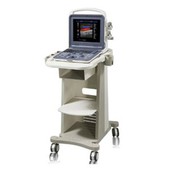
How to use a urine analyzer
Urine analyzers are of great value in the diagnosis of various diseases of the urinary system, digestive system, cardiovascular and endocrine systems, LX observation, prognosis evaluation and population health care. The urine analyzer is used for urine detection, and the detection results have the performances of accuracy, detection speed, and anti-cross infection.

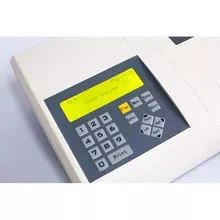

How to operate a urine analyzer
1. Start:
Turn on the main power of the urine analyzer, operate the display power, the printer power, and enter the user name and password in the dialog box.
2. Preparation before analysis:
①Check whether the distilled water and deionized water are sufficient, whether the waste liquid pipeline is blocked, whether the waste liquid bucket is emptied, check whether the distilled water and deionized water are sufficient, whether the waste liquid pipeline is blocked, and whether the waste liquid bucket is emptied;
②Check whether the high-concentration cleaning tank has enough high-concentration cleaning solution;
③Check the sample needle, check reagent needle, check sample stirring needle and reagent stirring rod, and confirm that there is no dirt or bending. If dirty, clean the sample needle. If bent, replace the sample needle. If there is dirt, clean the stirring rod;
④ Calibration, preparation of quality control products.
3. Start detection:
①Calibration: Place the kit calibrators for blood glucose, urea, creatinine, uric acid, and protein in the corresponding positions, click to start calibration;
②Quality control test: place it in the corresponding position and click to start the test, all items are under control for sample test;
③ The specimen is checked, and the number is placed in the corresponding detection position;
④Click the application item to apply for inspection, and click the start button to perform the inspection;
⑤Enter information in the system;
⑥ Review, print and issue reports.
4. Shutdown:
When the urine analyzer is in the "idle" state, you can click Shut Down and follow the prompts to select "Exit" to perform the shutdown operation;